
Appearance
Creating configurator
Configurator is used to create multiple material variations for object. It allows viewer switch material while interacting.
Preview what Configurator looks like:
Create material variations in 3ds Max (before upload to Viz4D)
Step 1: In 3dsMax, before upload to Viz4D
Use the material below for object that you want to create configurator:
For Corona Renderer: use CoronaSelectMtl
For V-Ray Renderer: use Morpher material or VRaySwitchMtl, but note that VRaySwitchMtl has a limit of 10 materials.
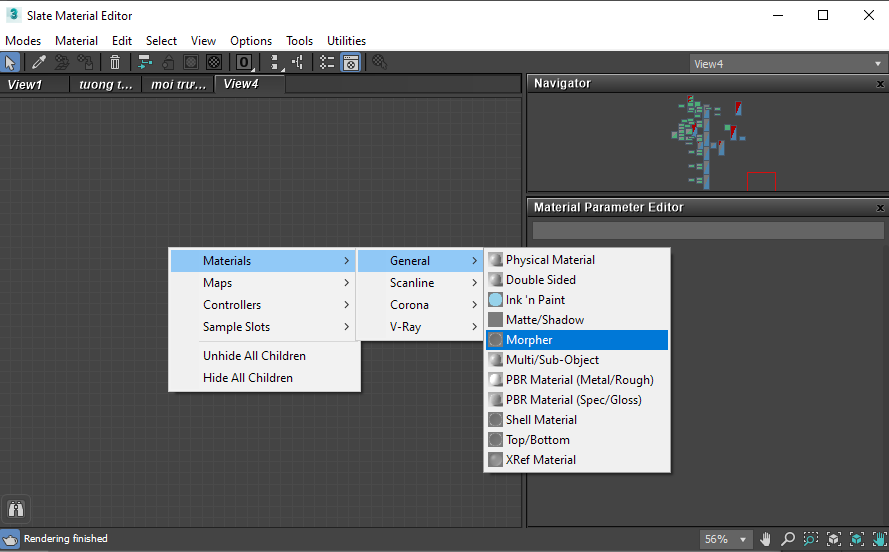
Both materials above have multiple material slots. When we transfer them to Viz4D, each material slot will be a material variation for configurator.
WARNING
Do not use the following maps: CoronaAo, VRayDirt, CoronaMultiMap, VRayMultiSubtex, and MultiTexture when assigning material to CoronaSelectMtl and Morpher. Because we do not currently support them for CoronaSelectMtl and Morpher material.
Step 2: After uploading, when the cloud processing is complete, in Viz4D Editor
- The material variations that are automatically transferred from 3dsMax are located here:
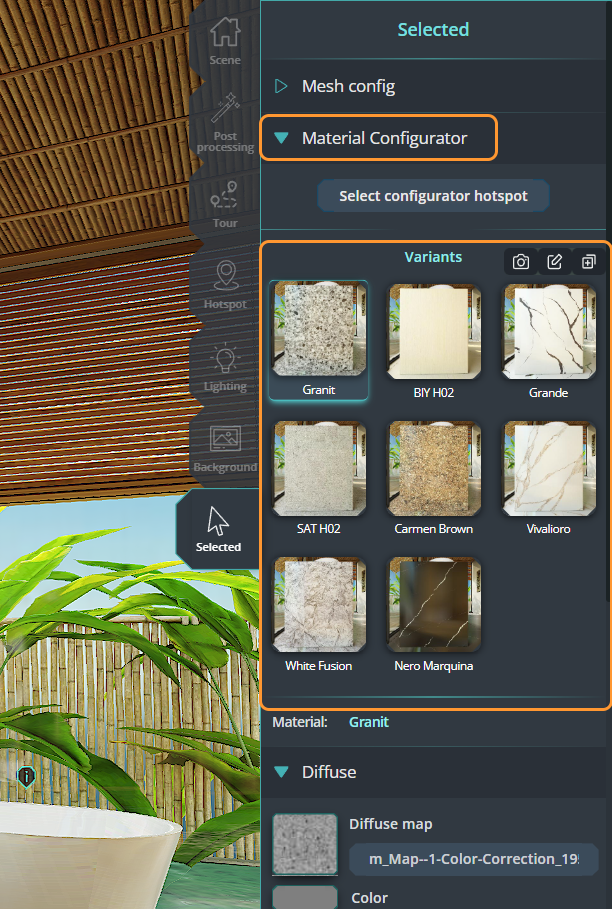
- Now, we need to pick object for configurator:
- (optional) Add info for material variation:
To update view for material variation:
Click camera icon to update current view.
Create material variations in Viz4D Editor
Step 1: Pick object for configurator
Step 2: Add material variations
Step 3: Add info for material
To update view for material variation:
Click camera icon to update current view.